


There are two ways to show your Google reviews on a WordPress site with Shapo. The first is the free Shapo plugin from wordpress.org: you connect your account once, then pick a widget by name in the block editor or your page builder. The second is a short embed code that you paste into a Custom HTML block. Both show the same widget, both work on the free plan, and neither needs a Google API key.
This guide covers the plugin first, because it is the easier route for most sites, then the embed code, then notes for Elementor, Divi and other builders. If you are still choosing between Google reviews plugins, our comparison of 8 Google reviews plugins for WordPress lists free tiers, API key needs and prices for each.
What you need
- A free Shapo account. No credit card.
- A business listed on Google Maps with some reviews. You do not need to be the owner of the listing.
- Admin access to your WordPress site. To install the plugin on WordPress.com you need one of its paid plans; the embed code needs a Custom HTML block.
Step 1: Import your Google reviews into Shapo
This step is the same for both methods. In your Shapo dashboard, open Testimonials, click Import, choose Google, and type your business name as it appears on Google, for example "Brightside Coffee, Portland". You can also paste the business's Google Maps link or its Place ID, which our Place ID finder looks up for you.
Select your business from the results and set three options: the minimum star rating to fetch, whether to translate reviews into English, and whether to include reviews that have a rating but no text. Click Fetch Reviews, tick the reviews you want, add a tag if you plan to have more than one widget, and click Import Reviews.
Add testimonials fromGoogle
Brightside Coffee
412 Alder St, Portland, OR
186 reviews ★ 4.8
Select the ones you want to import from the 50 most recent reviews
Maya R.
"Best flat white in the neighbourhood, and the staff remember your order."
★★★★★ Sep 20
Daniel K.
"Great spot to work for a couple of hours. Fast wifi and the banana bread is excellent."
★★★★★ Sep 15
Priya S.
"Ordered a birthday cake with two days notice and it came out exactly like the photo."
★★★★★ Sep 10
On Pro you can switch on Auto-import new testimonials, and Shapo checks Google once a day and adds new reviews that match your filters. Pro can also import up to 1,000 of your newest reviews in one go.
Step 2: Create your widget
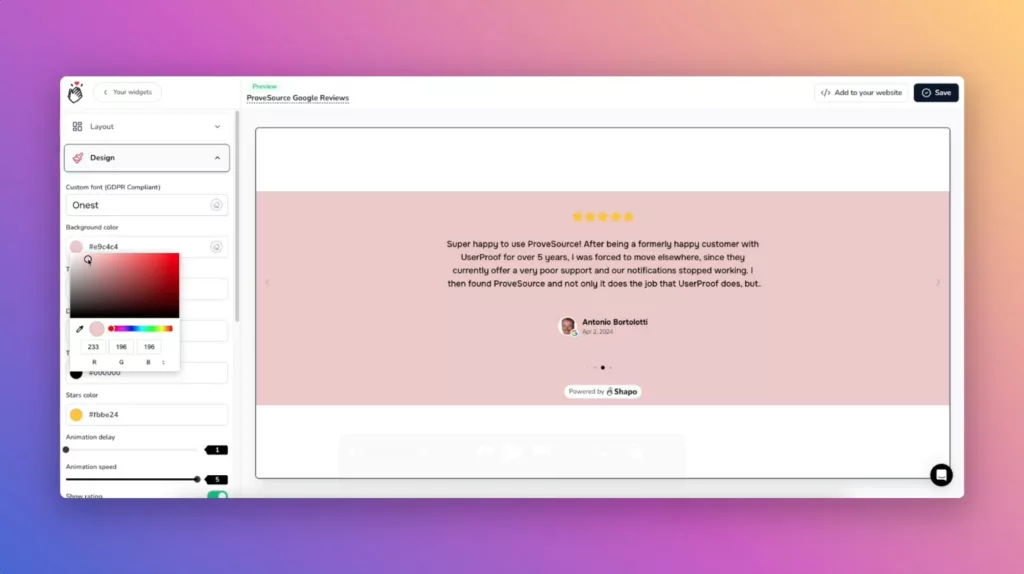
Open Widgets in Shapo, create a new widget and choose a layout. Layouts include the carousel, single review and rating badge, plus the grid, marquee, list and floating popup on Pro. Match the colours and fonts to your theme, and filter by rating or tag if you only want to show some reviews.
Method 1: Add Google reviews with the free Shapo plugin
Install the plugin
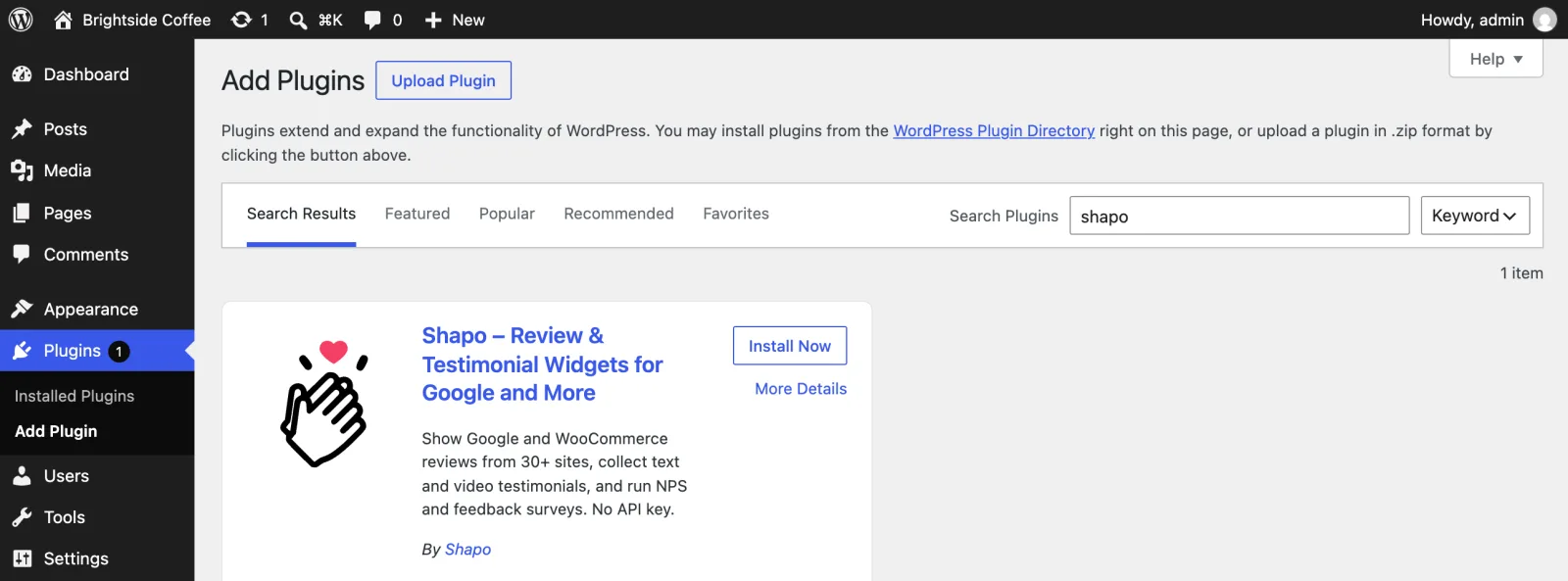
In your WordPress admin, go to Plugins > Add Plugin (called Add New in older versions). Search for Shapo, click Install Now, then Activate. WordPress opens the Shapo page, which stays in the admin menu. You can also download the plugin from wordpress.org/plugins/shapo and upload it under Plugins > Add Plugin > Upload Plugin.
Connect your Shapo account
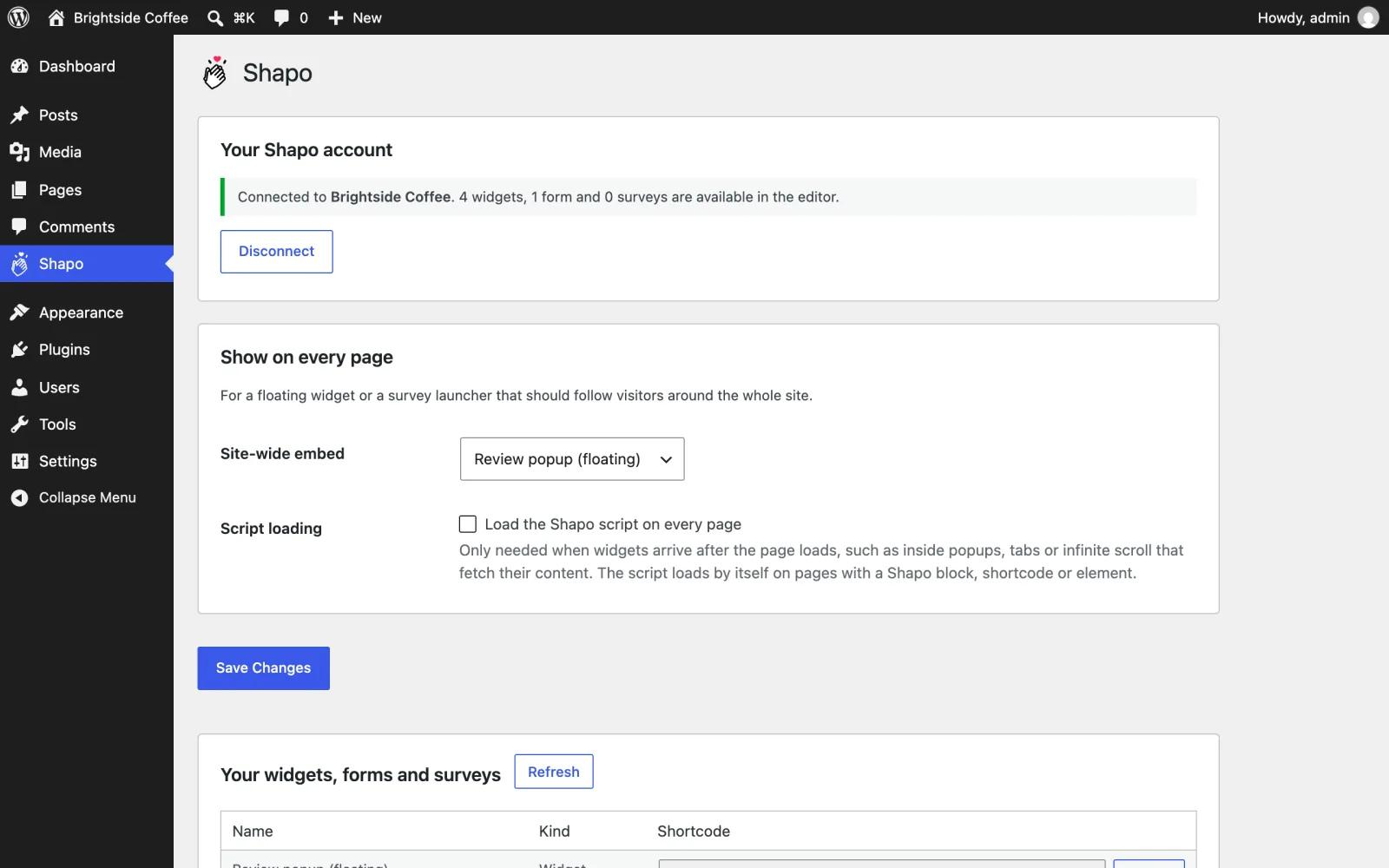
On the Shapo page, click Connect with Shapo. Sign in, choose the workspace to connect, and you are sent back to WordPress. The page now shows which workspace is connected and how many widgets, forms and surveys are available. The connection can only list your widgets, forms and surveys; it cannot see your reviews, contacts or billing.
Prefer not to connect? Skip it, and paste the widget id or embed code into the block instead.
Add the Shapo Widget block
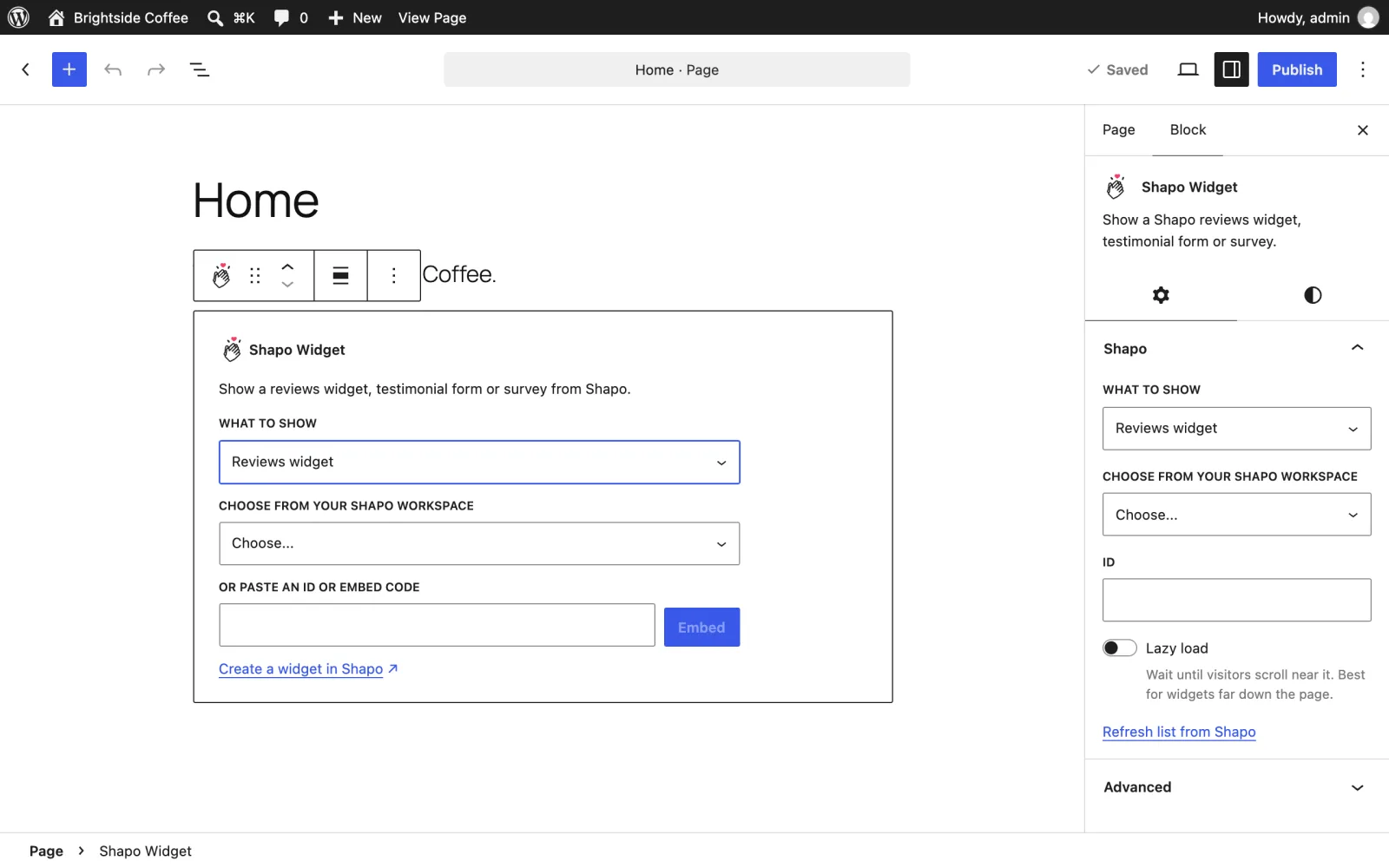
Edit the page or post where the reviews should go, click + and add the Shapo Widget block. Under What to show choose Reviews widget, then pick your widget from Choose from your Shapo workspace. The block shows a live preview. Turn on Lazy load if the widget sits far down a long page. Then click Update or Publish.
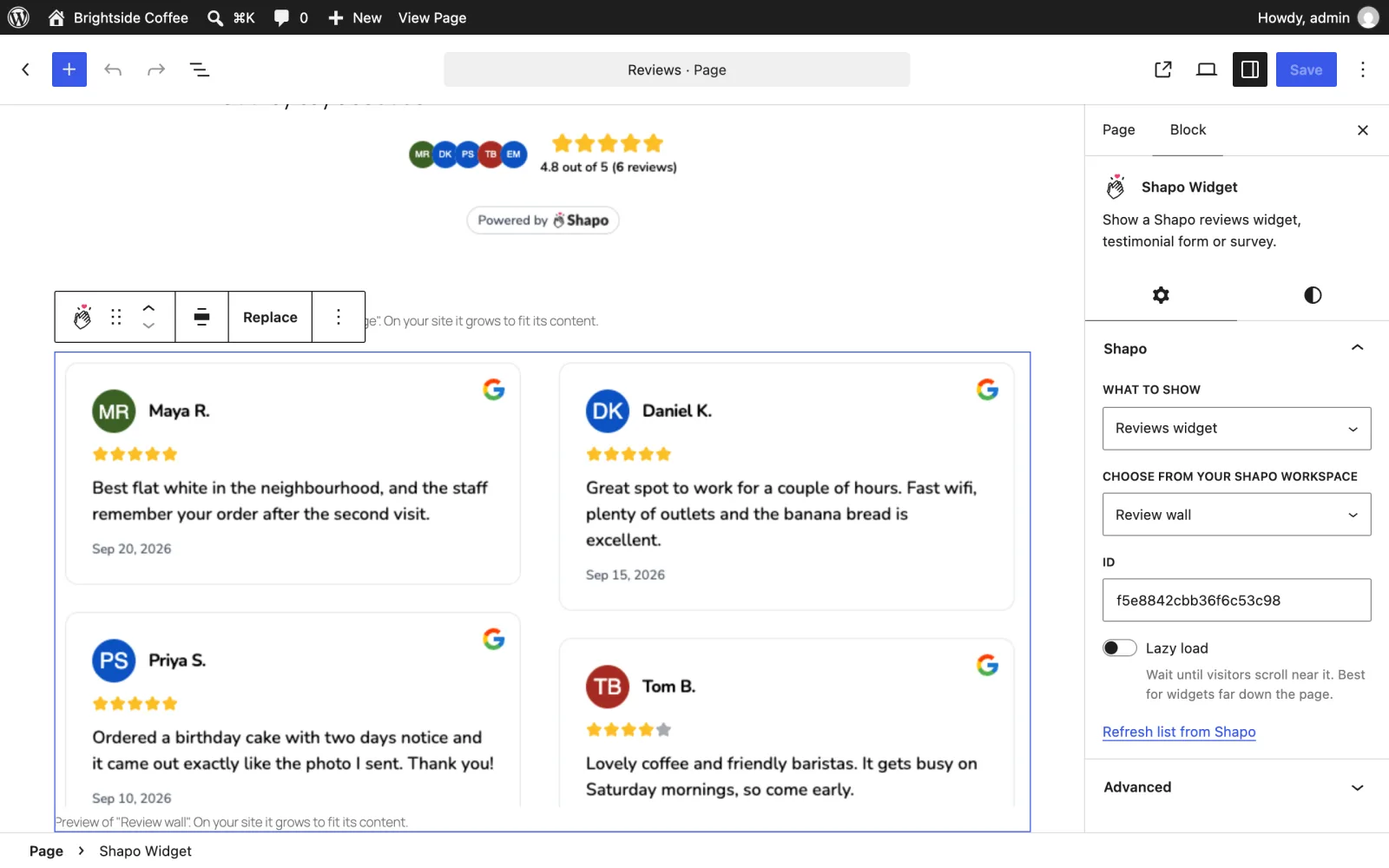
Tip: if you paste a Shapo embed code straight into the editor, WordPress turns it into a Shapo Widget block on its own.
Method 2: Add Google reviews with the embed code
No plugin needed. This works on any WordPress site that has the Custom HTML block.
- In Shapo, open your widget and click Add to your website to see the embed code, then copy it.
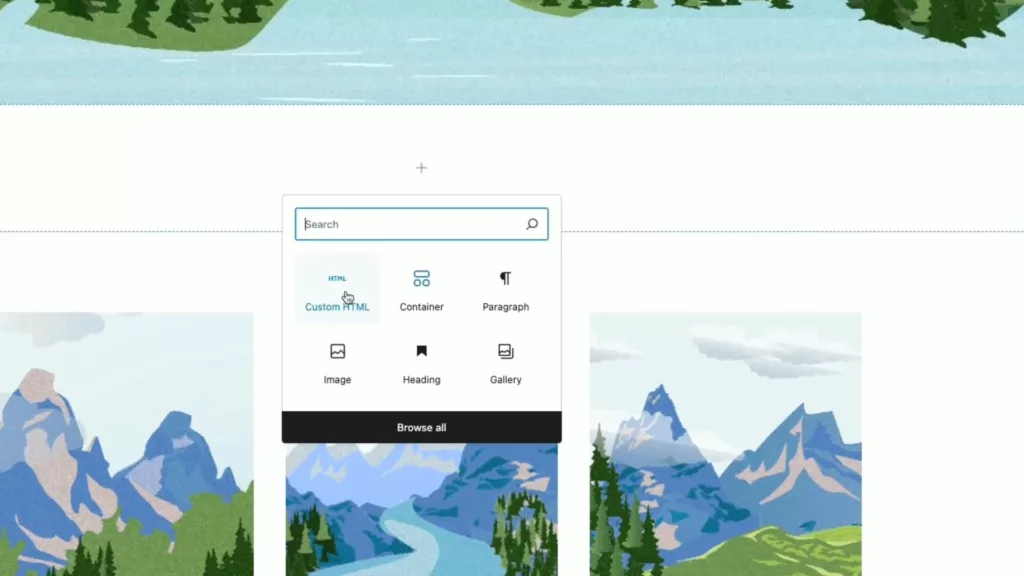
- In WordPress, open the page or post and add a Custom HTML block where the reviews should appear.
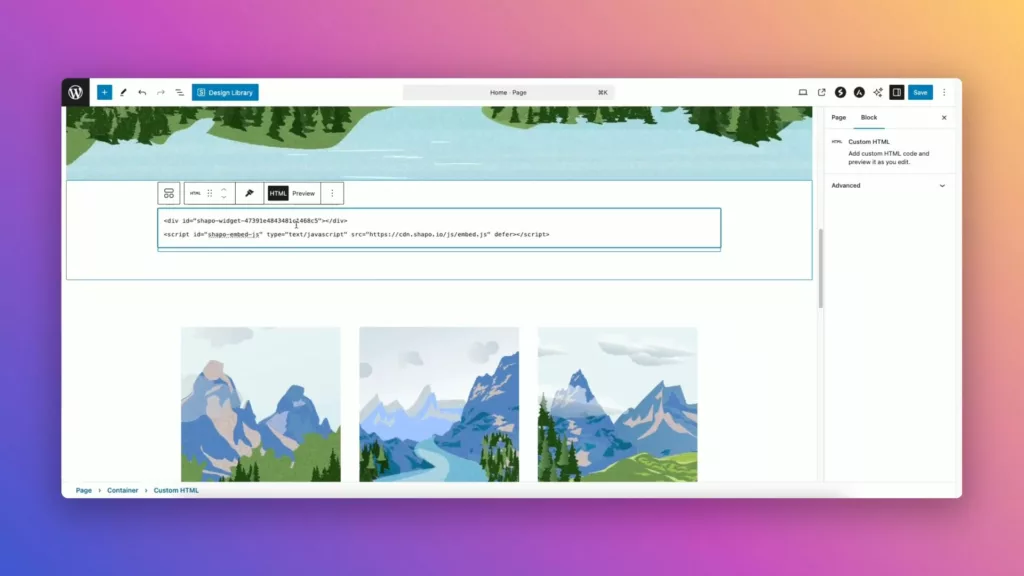
- Paste the code, preview the page, and publish.
The code looks like this, with your own widget id:
<div id="shapo-widget-YOUR-WIDGET-ID"></div>
<script id="shapo-embed-js" type="text/javascript" src="https://cdn.shapo.io/js/embed.js" defer></script>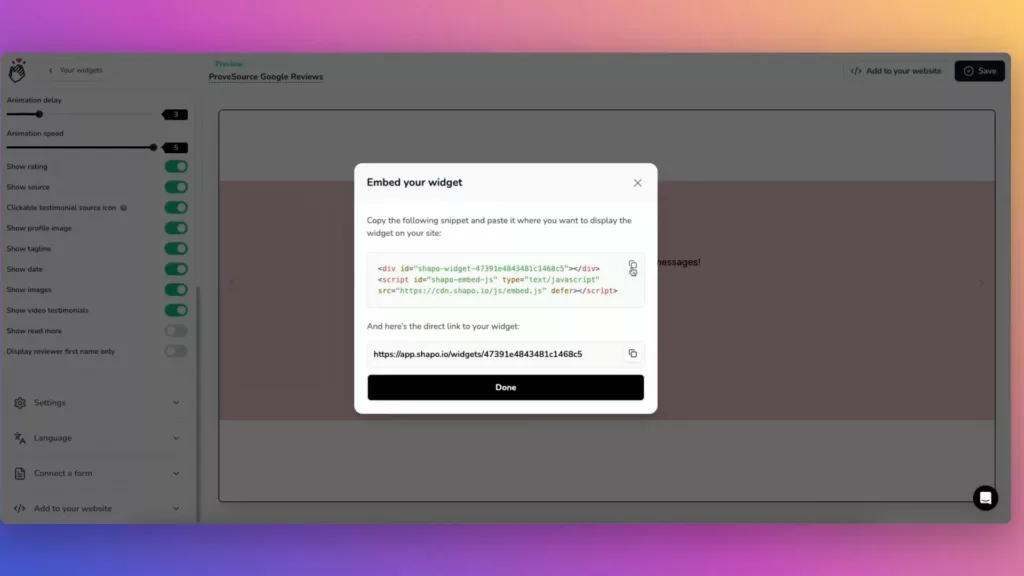
If you prefer video, this short tutorial shows the embed code method from signup to a published page:
Elementor, Divi and other page builders
The plugin adds a native Shapo Widget element to four builders, and a shortcode covers the rest.
Elementor
With the plugin, search the Elementor panel for Shapo Widget, drag it onto the page, and use Choose from Shapo to pick your widget. Without the plugin, drag Elementor's HTML widget onto the page and paste the embed code. See Shapo for Elementor for more.
Divi
Divi has no native Shapo module, so use the shortcode [shapo id="WIDGET_ID"] in a Code or Text module, with your widget id. You can paste the full embed code in place of the id. Without the plugin, paste the embed code into a Code module. See Shapo for Divi.
Beaver Builder, Bricks, WPBakery and the rest
Beaver Builder, Bricks and WPBakery get the same Shapo Widget element as Elementor. For Oxygen, Breakdance, the classic editor and theme templates, use the [shapo id="WIDGET_ID"] shortcode. Add lazy="true" to wait until visitors scroll near it. For sidebars and footers, go to Appearance > Widgets and add the Shapo Widget.
WooCommerce stores
If you sell on WooCommerce, you can import your product reviews next to your Google reviews and show both in the same widget. The WooCommerce page has the details.
Show a review popup on every page
For a floating review popup that follows visitors around the site, open the Shapo page in WordPress, pick the widget under Show on every page > Site-wide embed, and click Save Changes. The floating popup is a Pro layout.
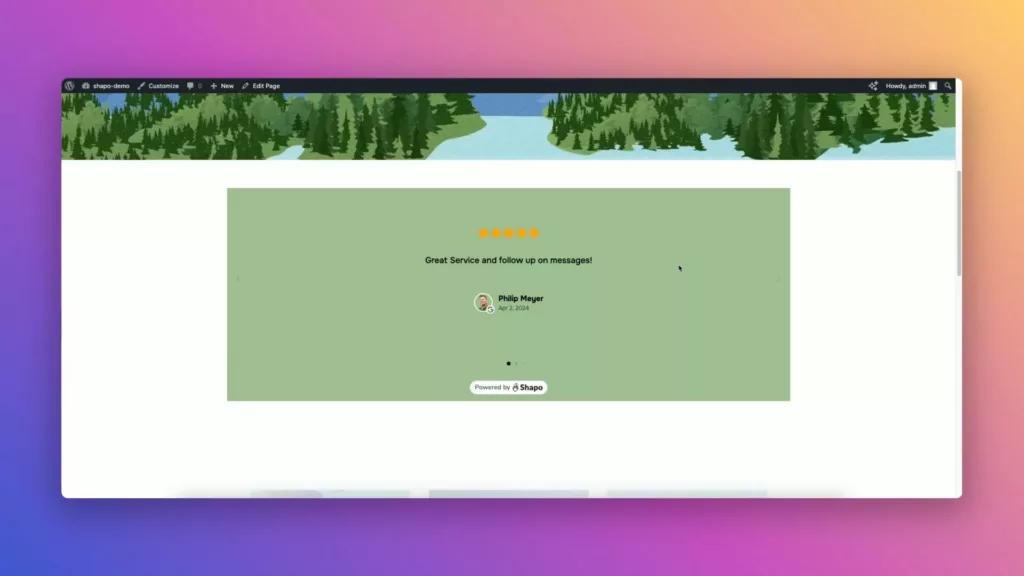
What it looks like
If the widget does not show
- A new widget is missing from the list: on the Shapo page, click Refresh next to Your widgets, forms and surveys.
- The widget is blank inside a popup, tab or infinite scroll: turn on Load the Shapo script on every page on the Shapo page and save.
- You use WP Rocket, LiteSpeed Cache or Cloudflare Rocket Loader: with the plugin installed there is nothing to do, because it stops them from delaying the Shapo script. With the embed code alone, exclude
cdn.shapo.io/js/embed.jsfrom delayed JavaScript in your caching plugin.
Can Google reviews give my pages stars in search?
The plugin includes a [shapo_rating_schema id="WORKSPACE_ID"] shortcode that publishes an aggregate rating built from your Shapo reviews. Use it on product pages with type="Product", the kind of page where Google shows review stars; it does not show them for reviews a business publishes about itself as a LocalBusiness or Organization. If you would rather write the markup yourself, the free Google review schema generator builds it for you.