Your customers are talking about you on Google, Facebook, G2, Trustpilot, and half a dozen other platforms—but you’re only seeing a fraction of what they’re saying. Every day, valuable feedback sits unread on sites you forgot to check, while your best testimonials stay buried where potential buyers will never find them.
Proper online review management by centralizing your reviews into one dashboard changes everything: faster response times, clearer insights into customer sentiment, and the ability to showcase social proof exactly where it influences purchasing decisions. This guide walks you through the complete process, from auditing your review sources to displaying testimonials on your website without writing a single line of code.
Key Takeaways
- Efficiency: Centralizing reviews eliminates “platform hopping,” saving hours of manual administrative work.
- Responsiveness: A unified inbox with real-time alerts ensures negative feedback is addressed before it escalates.
- Conversion: Displaying reviews on high-intent pages (like pricing or checkout) can increase purchase likelihood by 270%.
- Insights: Aggregated data helps identify recurring customer sentiment patterns across all platforms simultaneously.
- Simplicity: No-code widgets allow you to embed social proof on any website builder without developer assistance.
Why centralizing customer reviews drives growth
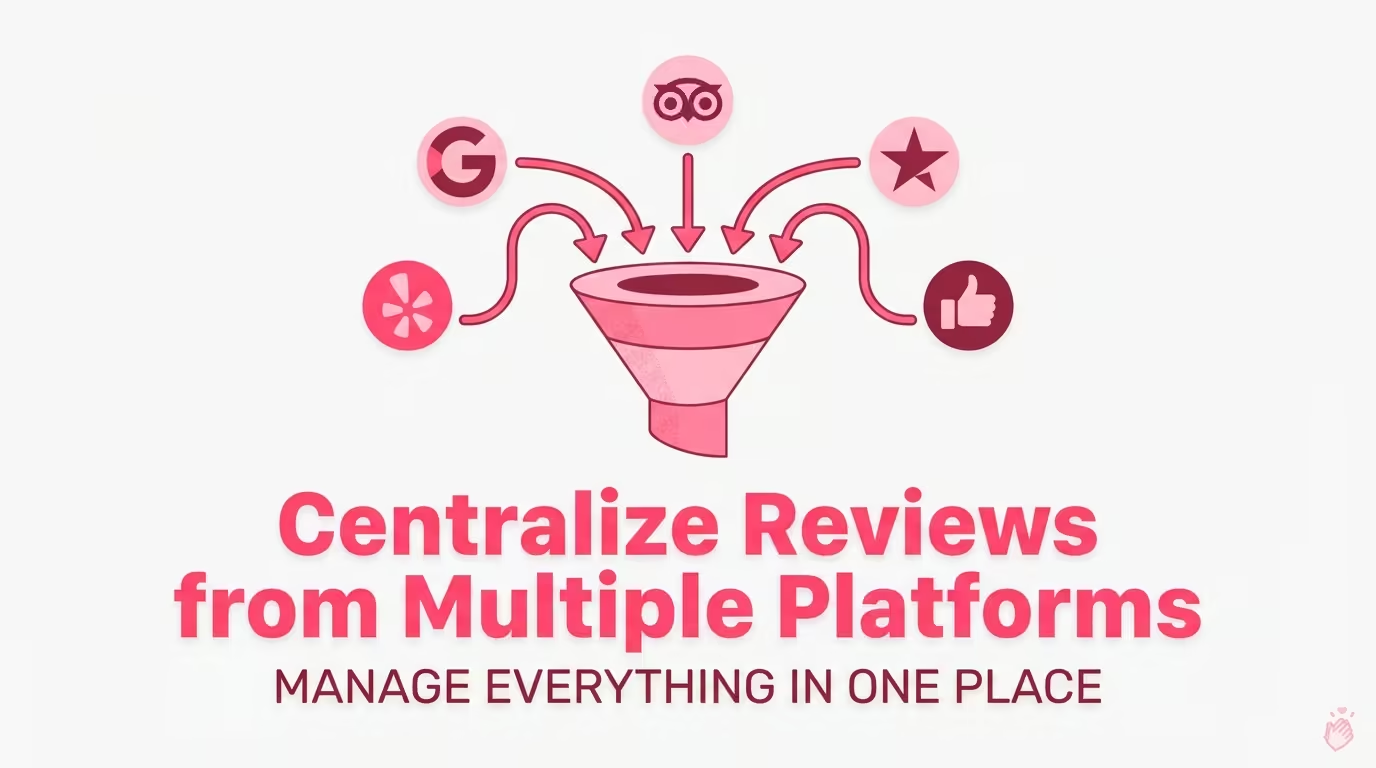
Centralizing customer reviews means pulling feedback from Google, G2, Trustpilot, Facebook, Yelp, and other platforms into one dashboard. With a centralized system, you can monitor reviews in real time, respond faster, and spot patterns in customer sentiment. Instead of logging into a dozen different sites, you see everything in one place.
Save hours by eliminating platform hopping
If you’re checking Google Business Profile, then Facebook, then Trustpilot, then G2, then Capterra—you’re spending hours each week just keeping up. Each platform has its own login, its own interface, and its own notification system.
A single dashboard changes that. You open one tool, and every review from every source is right there. What used to take hours now takes minutes.
Respond faster and never miss critical feedback
When reviews are scattered, negative feedback can sit unaddressed for days—even though 89% of customers expect a response. Sometimes you don’t even know it exists until a potential customer mentions it.
A unified inbox solves this problem:
- Real-time alerts: You get notified the moment a new review appears, regardless of where it was posted
- Single view: All reviews show up in one feed, so nothing slips through
- Quick prioritization: Negative reviews stand out immediately, letting you address them before they escalate
Strengthen social proof across all marketing channels
Your best customer feedback is probably sitting on third-party sites where most visitors will never see it. That five-star Google review? It’s helping Google more than it’s helping your sales page.
Centralization lets you pull those reviews onto your own website, into your email campaigns, and across your marketing materials. Instead of hoping customers find your reviews, you put them exactly where buying decisions happen.
Gain unified insights into customer sentiment
When reviews live on ten different platforms, spotting trends becomes nearly impossible. Is there a recurring complaint about shipping times? Are customers consistently praising one feature?
Aggregated reviews reveal patterns. Effective customer feedback management lets you see what’s working, what’s not, and where to focus your attention—all without manually comparing feedback across multiple sites.
Common challenges of managing multi-platform reviews
Before jumping into solutions, it helps to understand why this feels so overwhelming. The difficulty is real, and it comes from structural problems with how reviews work online.
Reviews scattered across dozens of sites
Depending on your business, customer reviews might appear on dozens of customer review sites including Google, Facebook, G2, Capterra, Trustpilot, Yelp, the App Store, Product Hunt, Etsy, TripAdvisor, LinkedIn, or Instagram. Each platform uses different review formats, rating systems, and management tools.
With 74% of consumers using multiple platforms, keeping track of all of them manually is exhausting—and something almost always falls through the cracks.
Inconsistent response times and brand voice
When different team members respond to reviews on different platforms, inconsistency creeps in. One person writes formal apologies; another sends casual one-liners. Without a unified system, your brand voice becomes fragmented.
Response times vary too. Reviews on your main platform might get same-day replies while others sit for weeks.
Difficulty leveraging reviews on your website
Here’s a frustrating reality: your most compelling testimonials are locked away on third-party sites. Manually copying and pasting reviews to your website is tedious, and those reviews quickly become outdated.
Meanwhile, your pricing page—where social proof matters most—sits empty or features testimonials from two years ago.
Time-consuming manual processes
Tracking reviews manually means spreadsheets, browser bookmarks, and calendar reminders. Exporting reviews for analysis requires navigating each platform’s unique export process. The administrative burden alone can make review management feel like more trouble than it’s worth.
How to centralize reviews from multiple platforms
Now for the practical part. Here’s a step-by-step process for bringing all your reviews into one manageable system.
1. Audit where your customer reviews currently live
Start by listing every platform where customers might leave feedback. This includes obvious places and less obvious ones:
- Google Business Profile
- Facebook and Instagram
- Review sites like Trustpilot, G2, and Capterra
- Marketplaces like Etsy and Amazon
- App stores (Apple and Google Play)
- Industry-specific platforms like TripAdvisor or Yelp
You might be surprised how many platforms have reviews you’ve never seen.
2. Select a tool that integrates with your review sources
Look for reputation management software that offers native integrations with the specific sites where your reviews live. The more integrations available, the less manual work you’ll face.
Shapo, for example, integrates with 20+ platforms including Google, G2, Capterra, Trustpilot, social media, and app stores—pulling reviews automatically into one dashboard.
3. Import existing reviews from each platform
Once you’ve chosen a tool, import your historical reviews. Most platforms offer one-click imports that pull in your existing feedback within minutes.
Don’t skip this step. Those older reviews represent valuable social proof that you’ve already earned.
4. Enable automatic syncing for new reviews
After importing, set up auto-sync so new reviews flow into your centralized hub without manual intervention. This automated review collection is what makes centralization sustainable long-term.
Pro Tip: Enable auto-sync immediately after importing. Even a few days’ gap can mean missed reviews and delayed responses.
5. Organize reviews by product or service category
If you offer multiple products or services, organize your reviews accordingly. Workspaces, tags, or folders help you segment feedback so you can analyze sentiment for specific offerings.
This organization also makes it easier to display relevant reviews on specific product pages rather than showing generic testimonials everywhere.
Best practices for efficient multi-channel review management
Centralization is the foundation. Ongoing management practices determine whether you actually benefit from it.
1. Establish a unified review response policy
Create guidelines that ensure consistency across all platforms and team members:
- Response timeframe: Define how quickly different review types get responses (for example, negative reviews within 4 hours, positive within 24 hours)
- Tone guidelines: Document your brand voice with example responses
- Escalation process: Specify when reviews get routed to managers or specific departments
Templates help maintain consistency while still allowing personalization for each response.
2. Prioritize prompt responses to negative reviews
Negative reviews deserve fastest attention—not because they’re more important, but because quick responses can turn unhappy customers into advocates. A centralized system with real-time alerts makes this possible.
3. Showcase top reviews where customers make decisions
Your best reviews belong on high-intent pages: pricing pages, product pages, checkout flows, and landing pages. These are the moments when social proof directly influences purchasing decisions.
Don’t bury testimonials on a dedicated “Reviews” page that visitors rarely find.
4. Automate routine review management tasks
Look for opportunities to automate repetitive work: importing and syncing new reviews, sending email campaigns requesting feedback, and setting up notifications for reviews requiring immediate attention.
Automation frees you to focus on responding thoughtfully rather than managing logistics.
5. Track review trends and overall sentiment
Set aside time monthly to review aggregate data. Are ratings trending up or down? Which products generate the most positive feedback? What complaints appear repeatedly?
These insights inform product development, customer service training, and marketing messaging.
How to display centralized reviews on your website
Collecting reviews in one place is only half the equation. The other half is displaying them where they influence buying decisions.
| Display Format | Best Use Case | Benefit |
|---|---|---|
| Review Grids | Dedicated Testimonial Pages | Demonstrates high volume and broad satisfaction. |
| Carousels & Sliders | Homepages & Landing Pages | Saves space while drawing attention through movement. |
| Floating Toasts | Checkout & Pricing Pages | Reduces purchase anxiety without disrupting the UX. |
| No-Code Widgets | Any Website Builder | Easy deployment on Shopify, WordPress, or Webflow. |
Shapo’s no-code widgets let you embed review displays in minutes, with full customization for colors, fonts, and layouts to match your brand.
Key features to look for in a review centralization tool
Not all review management tools are created equal. Here’s what separates useful platforms from frustrating ones.
| Feature | Why It Matters |
|---|---|
| Multi-platform import | Consolidates reviews from Google, G2, Trustpilot, social media, and more |
| Automatic syncing | Eliminates manual work and ensures no reviews slip through |
| No-code display widgets | Deploy testimonials on your website without developers |
| Website builder compatibility | Works with Shopify, WordPress, Webflow, and other platforms |
| Video testimonial support | Captures high-impact video reviews alongside text |
Multi-platform import from Google, G2, Trustpilot and more
The more platforms your tool supports, the more complete your review picture becomes. Look for integrations with the specific sites where your customers leave feedback.
Automatic review syncing and updates
One-time imports aren’t enough. You want ongoing synchronization so new reviews appear automatically without manual intervention.
Customizable no-code display widgets
Your testimonials can match your brand. Look for widgets that let you customize colors, fonts, layouts, and which reviews to display—all without touching code.
Compatibility with Shopify, WordPress, Webflow and other builders
Verify that your chosen tool works with your existing website platform. Embed codes work seamlessly whether you’re on Shopify, WordPress, Webflow, Squarespace, or a custom-built site.
Video testimonial collection and display
Video testimonials often convert at higher rates than text alone. A comprehensive tool handles both formats, letting you collect and display video reviews alongside written ones.
Turn scattered reviews into your most powerful sales asset
Customer reviews are already one of your most valuable marketing assets—98% of consumers rely on them—but only if potential customers actually see them. Centralizing reviews from multiple platforms transforms fragmented feedback into organized, actionable social proof.
The process is straightforward: audit your review sources, choose a tool with the right integrations, import and sync your reviews, then display them where buying decisions happen.
Sign up for free and start centralizing your reviews today.
FAQs about centralizing customer reviews
Can you centralize reviews from social media platforms like Instagram and LinkedIn?
Yes, most review centralization tools let you import testimonials from social media platforms. This includes pulling in posts, comments, and direct messages where customers have praised your business.
Do you need a developer to display centralized reviews on your website?
No. Modern testimonial platforms offer no-code widgets that you embed with a simple copy-paste code snippet. These work on any website builder including Shopify, WordPress, Webflow, Wix, and Squarespace.
How do you import video testimonials along with text reviews?
Look for a platform that supports video testimonial collection through dedicated forms or shareable links. The best tools let customers record videos directly from their phones or computers, then display those videos alongside text reviews in unified widgets.
Can you choose which centralized reviews to display publicly?
Yes. Review management platforms let you curate which testimonials appear on your website. You maintain full control over your social proof while keeping all reviews organized in your dashboard.
What is the difference between review management and testimonial management?
Review management typically focuses on monitoring and responding to reviews on third-party sites like Google and Yelp. Testimonial management emphasizes collecting, curating, and displaying customer praise on your own website and marketing channels. Many modern tools handle both functions.