


Want to show Google reviews on your Squarespace site, but don’t want to mess with code or expensive plugins?
This guide shows you how to add Google reviews to Squarespace in under 5 minutes using Shapo’s free widget. No coding required — just copy, paste, and publish.
Why Embed Google Reviews in Squarespace?
Embedding Google reviews in Squarespace builds instant credibility with visitors, increases conversions, and can boost your SEO through star-rich search results — all without plugins or code.
- Increase trust and conversions: Displaying 5-star reviews helps potential customers feel confident choosing you.
- Boost your SEO: Shapo includes optional review schema markup, which can surface star ratings in Google search results.
- No coding or plugins needed: Add reviews using Squarespace’s built-in embed block — works with any template.
What You’ll Need
- A free Shapo account → Sign up here
- Access to your Google Business Profile
- Access to edit your Squarespace site (any version that allows Code blocks)
Step-by-Step: How to Add Google Reviews to Squarespace

Step 1: Create Your Free Shapo Account
Go to Shapo.io and click Get Started Free.
No credit card needed — setup takes less than a minute.
Step 2: Import Your Google Reviews

Inside your Shapo dashboard:
– Go to the Testimonials section.
– Click Import Testimonials.
– Select Google as the source.
– Search using your Google business name or paste your Place ID. (👉 Need your Place ID? Use our free Google Place ID Finder Tool.)
– Choose the specific reviews you want to import.
Step 3: Customize the Widget
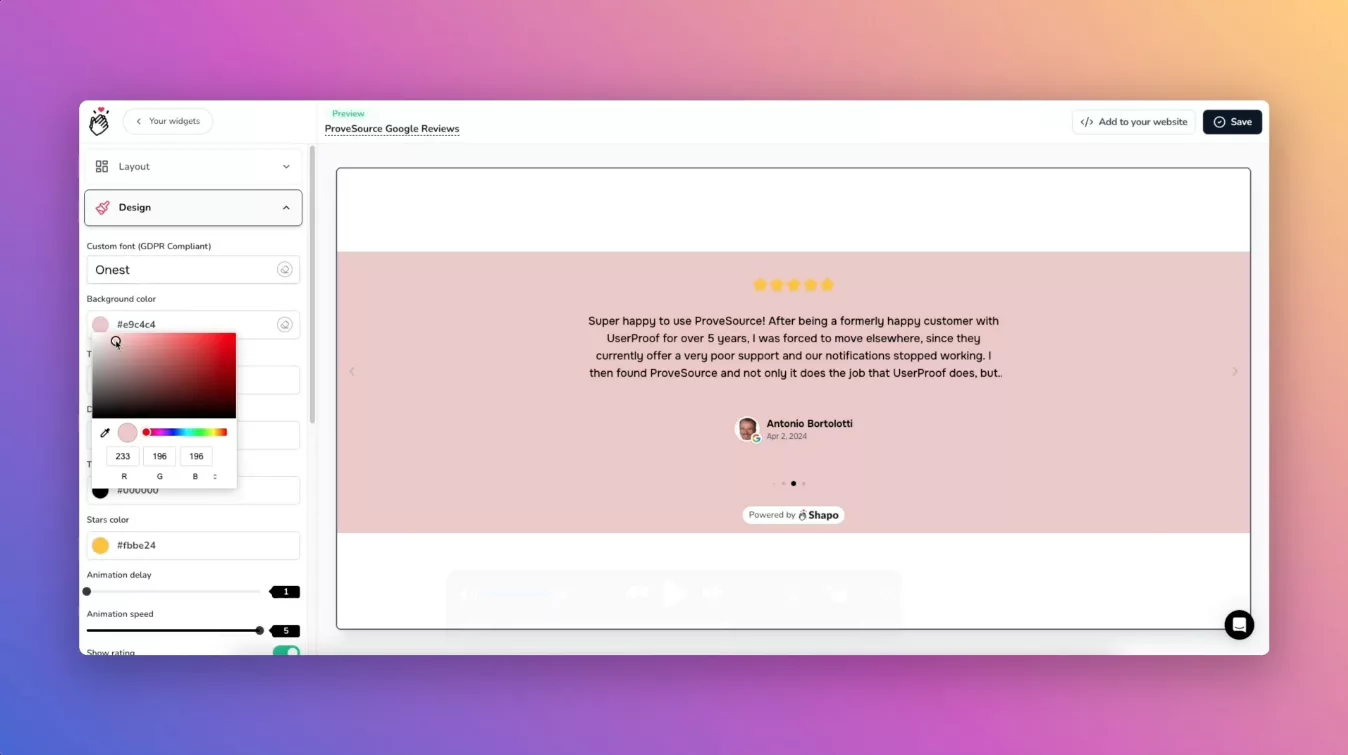
Choose how your Google reviews will look on your Squarespace site:
– Layout options: Single, Carousel, Grid, or Marquee
– Brand styling: Match your fonts, colors, and spacing
– Filters: Show only 5-star reviews or tag by product/service
Step 4: Copy the Embed Code
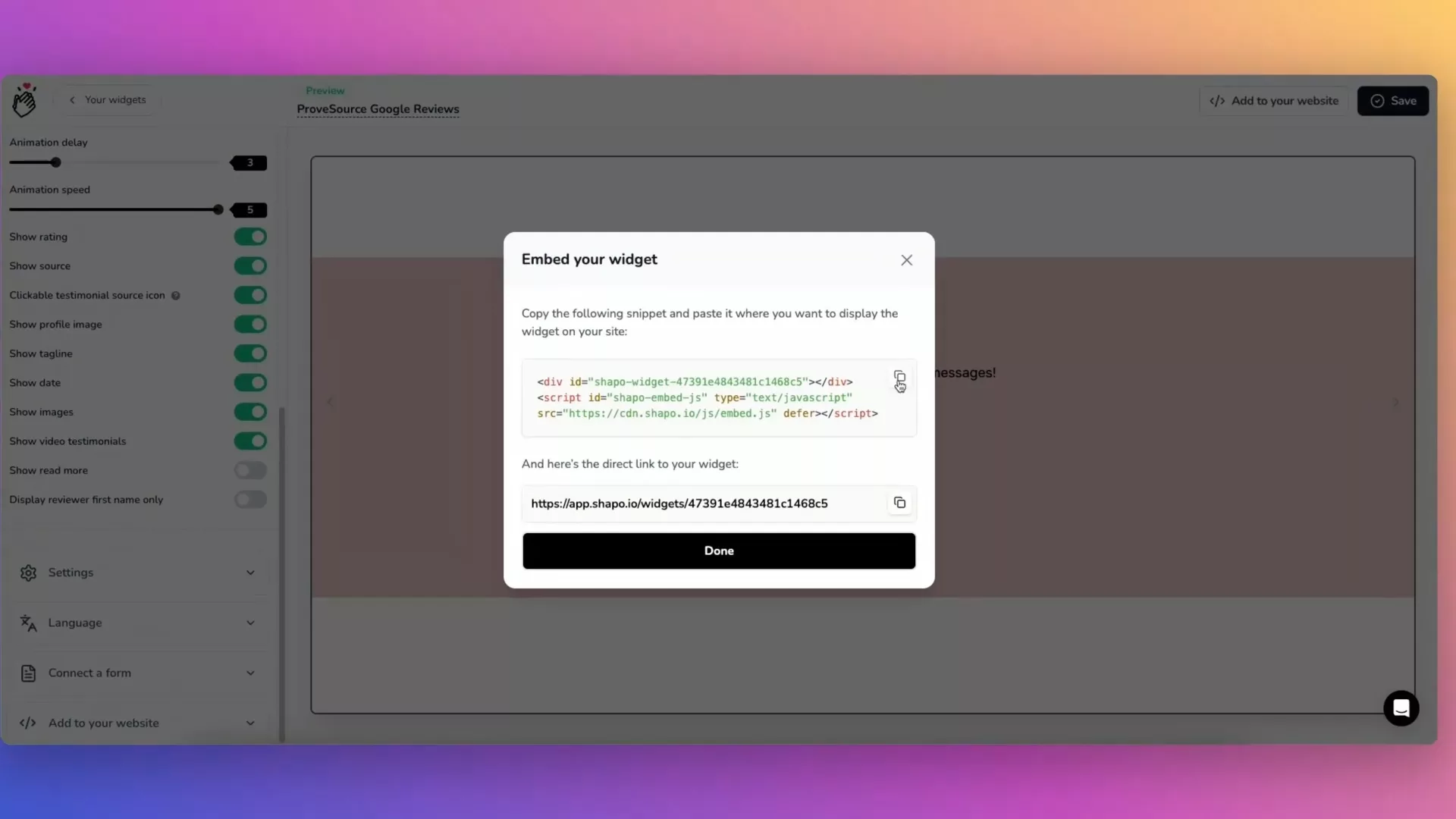
Click “Get Embed Code” in Shapo and copy the snippet, which will look something like this:
<div id="shapo-widget-YOUR-WIDGET-ID"></div> <script id="shapo-embed-js" type="text/javascript" src="https://cdn.shapo.io/js/embed.js" defer></script>
This snippet will display your Google reviews on any page — fully responsive and automatically updated.
Step 5: Add the Widget to Your Squarespace Site
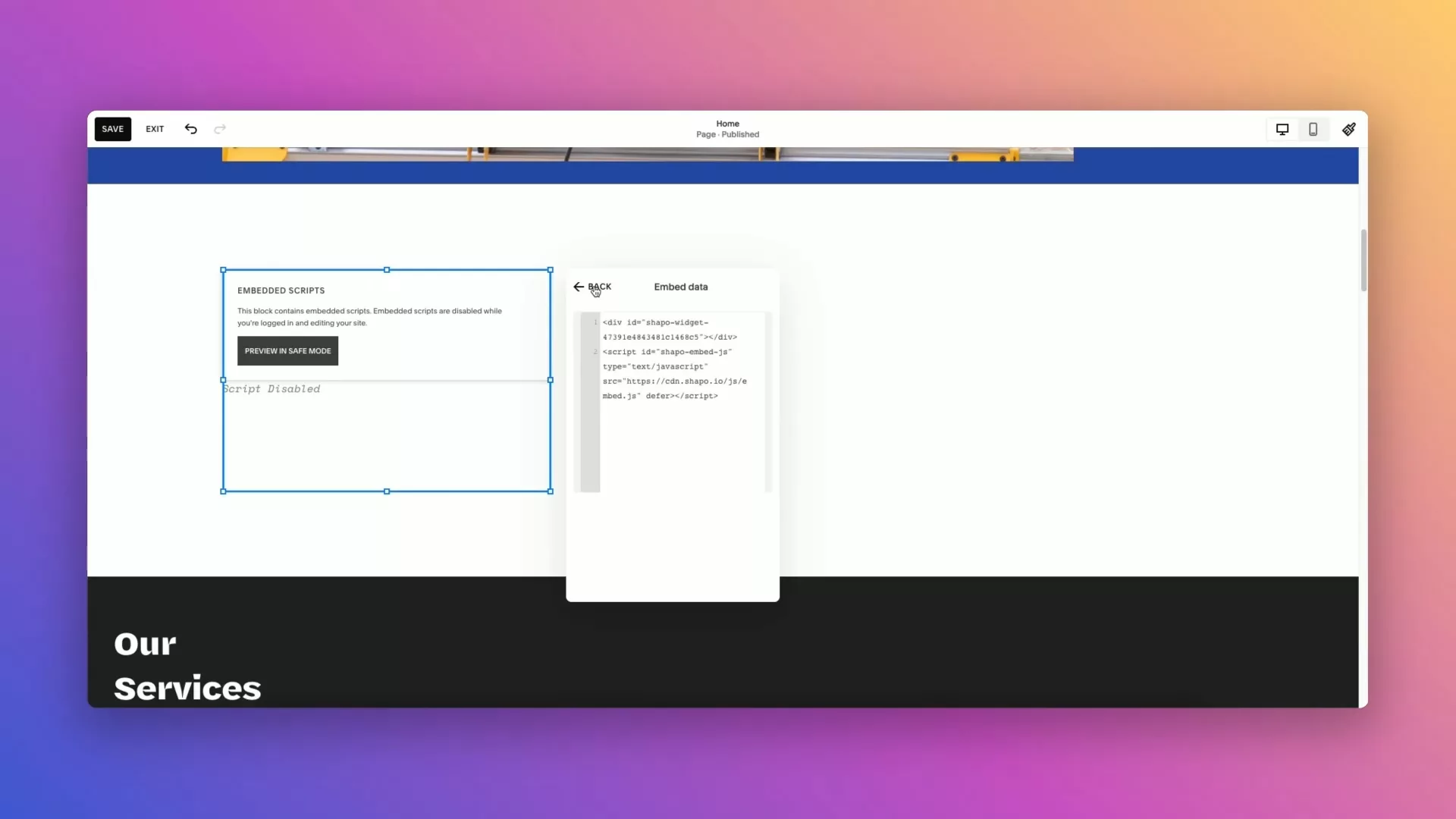
In your Squarespace dashboard,
– open the page or section where you want to show reviews.
– Click Add Block and select Embed.
– Paste the embed code.
– Save the changes.
– Click Publish.
✅ That’s it! Your Google reviews will now appear beautifully on your Squarespace website — and will update automatically if you add new ones.
Watch: How to Add Google Reviews to Squarespace (Video)
🎥 Prefer watching? Here’s a quick demo showing how to add Google reviews using Shapo’s widget.
FAQs: Google Reviews on Squarespace
Do I need a plugin to add Google reviews to Squarespace?
No — Squarespace doesn’t support traditional plugins, but Shapo works perfectly with the Code Block. Just paste the embed snippet and you’re done.
Will this slow down my site or affect design?
Nope. The widget is lightweight, loads asynchronously, and won’t interfere with your site’s speed or layout.
Can I use this on the free Squarespace trial?
Yes, but your site must be published to see the widget live. You’ll need to be on a plan that supports custom code blocks.
Is the widget really free?
Yes. Shapo’s Free Plan includes up to 10 Google reviews, unlimited widgets, full customization, and review filters — ideal for small businesses.
Can I embed Google reviews on any Squarespace template?
Yes. Shapo works with all Squarespace templates — just paste the embed code into a Code Block on any page.
How do I moderate which reviews are displayed on my Squarespace site?
Shapo lets you filter reviews by star rating or tags, so you control exactly which feedback appears on your site.